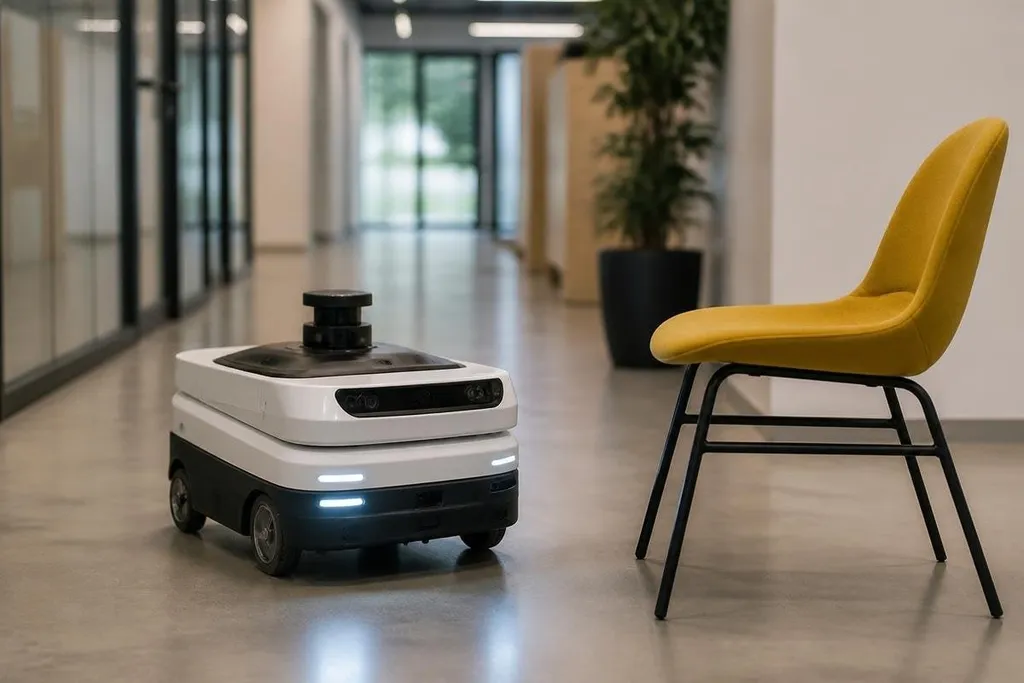
A robot avoids an obstacle by sensing space around itself, judging whether a path is open, and changing its motion. The hard part is not spotting a chair in clear light; it is making a safe choice when the chair moves, a sensor is blocked, or the floor changes.
- Cameras, LiDAR, radar, and contact sensors each see different parts of the robot’s surroundings.
- Software turns sensor readings into a local map and checks the robot’s next movement.
- A safe robot can slow down or stop when its view or position becomes uncertain.
How the robot sees the space around it
A camera records images, so software can look for objects, edges, and open floor. LiDAR sends out laser pulses and measures their return time, producing distance points around the robot. Radar measures objects with radio waves and can help when light, dust, or rain affects a camera.
No single sensor covers every case. A camera may miss a dark object against a dark wall, while LiDAR may have trouble with glass or very thin parts. Contact sensors add a last line of information: if the robot touches something, it knows the planned path has failed.
Many robots combine these inputs. This is called sensor fusion. The software compares readings from more than one sensor so it can reject a reading that does not fit the rest of the scene.
How it picks a path
The robot’s software keeps a map of nearby space. This is usually a local map, meaning it covers the area the robot needs for its next movement rather than the whole building. The map marks open areas, objects, and places where the sensor data is uncertain.
A path planner then checks possible routes. It must account for the robot’s size, turning space, speed, and stopping distance. An arm needs room for its joints to move, while a mobile robot needs room for its wheels or legs to clear the object.
The planner keeps checking as the robot moves. If a person walks into the route, fresh sensor data can replace the old map and send the robot around the person. If the route narrows too much, the robot may stop instead of forcing its way through.
That repeated check matters more than a single route calculated at the start. A path that was clear five seconds ago may no longer be safe.
Why obstacle avoidance still fails
Sensor limits create many failure cases. Glass can look like open space to some sensors. A low object may sit outside a sensor’s view.
Bright sunlight can affect cameras, while dust can reduce the useful range of optical sensors.
The robot also needs correct position data. If its map says the robot is beside a doorway when it is actually several centimeters away, the planned turn may bring the body or arm too close to the frame.
Moving objects add another problem. The robot has to estimate where a person or vehicle will be next, then leave enough room for error. A system that reacts only after an object enters its path will stop late, especially at higher speed.
This is why obstacle avoidance is not the same as safe operation. A robot can detect an object and still choose a poor response. Safety systems may limit speed, keep a protective distance, or cut motor power when the robot cannot confirm its position.
That gap is why a sensor claim needs a task and a recorded result beside it. Robot24.com robotics coverage ties those claims to named machines and working sites before you compare systems in the next section.
What to check before buying or deploying one
Use this checklist when a supplier claims that a robot can avoid obstacles:
- Name the sensors: Ask which sensors detect people, glass, low objects, and objects behind the robot.
- Check the speed limit: Find out how fast the robot can travel while its avoidance system is active.
- Ask about stopping: Get the stopping distance for the floor, load, and speed you plan to use.
- Test blocked views: Check what happens when a camera or LiDAR unit is dirty, covered, or facing glare.
- Review failure actions: Confirm whether the robot slows, stops, sends an alert, or keeps moving when readings disagree.
- Watch the handoff: For an arm, check how it stops when a person reaches into the work area.
Ask for test conditions, not a short video of a clear path. A useful trial includes people crossing the route, objects at different heights, poor lighting, and a restart after the robot loses its position.
I’d judge obstacle avoidance by the robot’s response to uncertainty, not by how smoothly it moves through an empty room. The practical question is simple: when the sensors disagree, does the machine stop before the mistake reaches a person, product, or wall?